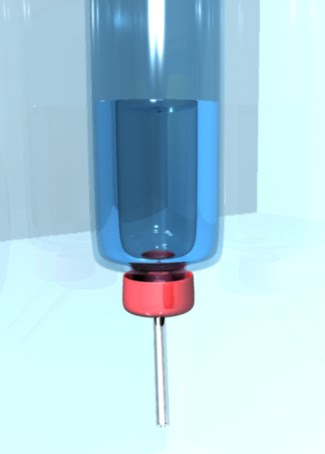
So the set theme I've decided on for my project is 'Science', ie Bunsen burners, bottles, tubes and other laboratory equipment - think mad scientist!
I don't know if this is the correct way to make glass in Maya, but it works for me! Pretty happy with all these little vials and test tubes, but the cork could use some work, I just used a standard leather bump map on it to give it a bit more 'texture'.
We were left to our own devices for the first part of the day due to a burnt out projector, so I continued with playing with soft select on my 'goblin'. As you can see, he's looking pretty polished now and I'm pretty pleased with what that one tool can achieve. Its changed not only the ears, horns and nose etc, but I was also able to add some emotion to his face by deforming the eyebrows/eyes/mouth. I have put up the original plain head before I altered it, and my goblin as it stands now.
After this, I was able to get some help on my stumbling point on the 'helmet' project first from Toby who is already well ahead of the pack on Maya, and pointed me to some possible causes and solutions, so big thanks to him. Then my tutor, Kelvin, found that i had stacked up a few vertexes and faces on top of each other and that that was what was causing my problems. After a short time I had cleared them off and progressed with the helmet, right up to the mirroring step.
The next in the line of tutorials was the start of NURBS (Non-Uniform Rational B-splines) modelling.
Again, this wasn't as difficult as first feared, and in not time, I had a nice little eggcup using the rotate tool and then able to tweak and edit it until it was just right. I also had a little play with the lighting and shading and added the 'phong' variable to give it a bit of shine.
After putting the helmet tutorial on hold until I have access to more brains, I decided to skip ahead and try the next one. This tutorial was primarily about soft select and a lot of fun and you were working with a basic head model and distorting it into a goblin. Fairly easy one you've picked it up and, nice results too.
So I've hit my first stumbling block in the tutorials, during building this helmet. It wants me to use the Border Edge Tool to select the edge to be bridge together, but the edges I need to select just say I cannot select them as they are not border edges. I've been trying to see if there was anything I was doing wrong or any extra vertexes/edges where there shouldn't be but my brain now needs a rest. I may start over again when I come back to it.
First of all, let me admit this is not my first time using a 3D construction program, in my teens I experimented with UnrealEd and other free level building software and a couple of other simple programs. This is my first time using Maya, and it's not all that I feared, with a lot of similarities to the older software I used. I'm not usually one for tutorials, and usually bodge my way through the learning process with trail and error, but this time I don't have the luxury of time and want to learn the correct and standardised way of using it. So here I am, slowly working my way through the 'Getting Started with Maya' tutorials.
Just another video I've found which is a style I love as it looks so handmade and uses a mixture of techniques from stop motion, live action and others. The 'cardboardy' feel is something that is so tactile and solid, and feels so real and full of character, even if a little overdone.
So yep, back from iceland now, and will be slowly loading some of the photos from there up to my Flickr
For now here's a picture of me looking Icelandic:


